AonicRAT
Version: 1.0.0-beta
Created by: Mohammed Zahid Imtiyaz Wadiwale
Purpose: Educational — Understanding Enterprise-Grade Remote Administration & Access Tools
What is AonicRAT?
AonicRAT is a fully functional, Java-based Remote Administration Tool (RAT) built from scratch for educational and demonstration purposes only.
The goal of this project is to teach students, developers, and security researchers how enterprise-grade Remote Server Administration Tools (RSATs) and Remote Access Tools (RATs) work under the hood.
Educational Use Only
This tool is strictly for educational and demonstration purposes. Only use it on systems you own or have explicit written permission to test. The author holds zero responsibility for any misuse.
Demo
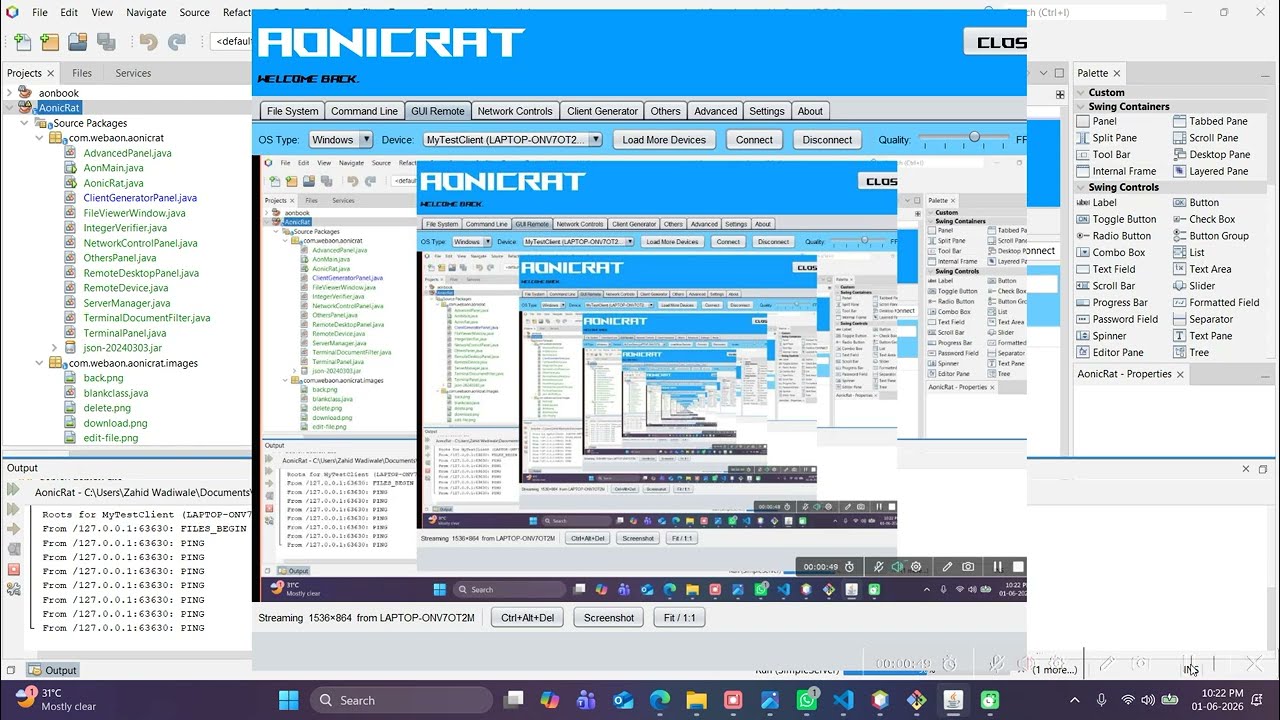
What You Will Learn
By studying AonicRAT you will understand the core technical concepts behind tools like TeamViewer, AnyDesk, Cobalt Strike, Metasploit, and ManageEngine:
| Concept | What AonicRAT Demonstrates |
|---|---|
| Client-server architecture | Controller + Agent model |
| Reverse TCP connection | Agent calls back to controller |
| Persistent socket communication | Live shell, screen stream |
| Remote file management | Full file system browser |
| Interactive shell streaming | Persistent cmd/bash session |
| Real-time screen capture | Remote desktop viewer |
| Cross-platform agent generation | Windows EXE, Linux script, macOS app |
| Remote network inspection | Packet capture, hosts editor |
| Remote process management | Process list + kill |
| Remote system info | OS, CPU, RAM enumeration |
| Clipboard & keylogging | Remote input monitoring |
| Remote power & startup control | Shutdown, restart, persistence |
Cross-Platform Support
Both components run on any major operating system:
| Component | Windows | Linux | macOS |
|---|---|---|---|
| Controller (AonicRat) | ✅ | ✅ | ✅ |
| Agent (SimpleServer) | ✅ | ✅ | ✅ |
Both are written in pure Java — no native dependencies, no OS-specific installers required.
Quick Start
# Build and run the controller
cd AonicRat
mvn clean package
java -jar target/AonicRat-1.0.0-beta.jar
See Getting Started for full instructions.
Features Overview
- File System — Remote file browser, upload, download, edit
- Command Line — Persistent interactive remote shell
- GUI Remote — Live remote desktop viewer
- Network Controls — Packet capture, hosts editor, interfaces
- Client Generator — Build agents for Windows/Linux/macOS
- Others — System info, process manager, clipboard, keylogger
- Advanced — Power controls, startup manager, message box
- Settings — Server port and connection management